
A Bitcoin wallet doesn't hold coins the way a physical wallet holds cash. Your Bitcoin exists on the blockchain; your wallet helps you manage the keys used to authorize sending Bitcoin, while the wallet also helps you receive payments and track your balance.
Knowing what those keys do—and how to protect them—is one of the most valuable things you can learn before using Bitcoin.
1. What is a Bitcoin wallet?
A wallet is software or a device that manages the information needed to receive Bitcoin and authorize spending it. It can show balances and transaction history by checking blockchain information.
2. Public addresses, private keys, and recovery phrases
These three concepts sound similar, but they have very different jobs.
Receiving address
Share an address when someone needs to send you Bitcoin. Always verify the address and network before sending.
Generally safe to sharePrivate key
A private key is a secret number your wallet uses to sign outgoing transactions. Wallet software normally manages it for you. Anyone with access to it may be able to take the Bitcoin it controls.
Never share your private keyRecovery phrase
Often 12 or 24 words that can restore your wallet's private keys. Someone with the phrase may recreate your wallet and take your Bitcoin—even without your device or password.
Never share, photograph, or uploadSome wallets use a recovery phrase; others use different backup methods. Follow the instructions for your specific wallet, and verify that your backup works before relying on it.
Never send it to anyone—not support staff, not a website, and not someone claiming they can fix your wallet. Do not photograph it, take a screenshot, email it, upload it to cloud storage, or save it in an ordinary computer file.
Write it down by hand, keep it offline, and store it somewhere private and secure. Protect the backup against theft, fire, water, and accidental loss. A durable metal backup is another option. Never use the example words shown in illustrations as a real wallet backup.
If you lose access to your wallet and your recovery information, your Bitcoin may be permanently inaccessible. Check your wallet manufacturer’s safe backup and restoration instructions.
Dig Deeper: Is an address the same as a public key?
No. A receiving address is typically derived from public-key-related information and encoded for use in transactions. The private key must remain secret. Wallets often generate many receiving addresses from one underlying wallet backup.
3. Not Your Keys, Not Your Coins
This well-known Bitcoin saying is about who controls the private keys. The clearest terms are custodial and non-custodial—not simply centralized versus decentralized.
Custodial: an exchange or provider holds the keys
Your account may show Bitcoin you bought, but the provider controls the keys and typically processes withdrawals on your behalf.
If it freezes withdrawals, suffers a breach, becomes insolvent, or fails, you may lose access to some or all of your funds.
Non-custodial: you control the keys
You authorize transactions using keys under your control, without asking an exchange to approve withdrawals.
This removes reliance on an exchange to hold your Bitcoin, but protecting your wallet, recovery phrase, and backups becomes your responsibility.
Dig Deeper: What if a cryptocurrency exchange fails?
When Bitcoin remains with a custodial provider, you depend on that provider to safeguard assets and honor withdrawals. Financial trouble, frozen withdrawals, a security breach, or bankruptcy could leave customers unable to access some or all of their cryptocurrency—even while an account displays a balance. The precise outcome depends on the provider’s arrangements and applicable law. This is one reason people say “Not your keys, not your coins.”
4. Hot wallets and cold wallets
A hot wallet operates on a device connected to the internet. A cold wallet keeps signing keys offline, often using a dedicated hardware device. Both have trade-offs.
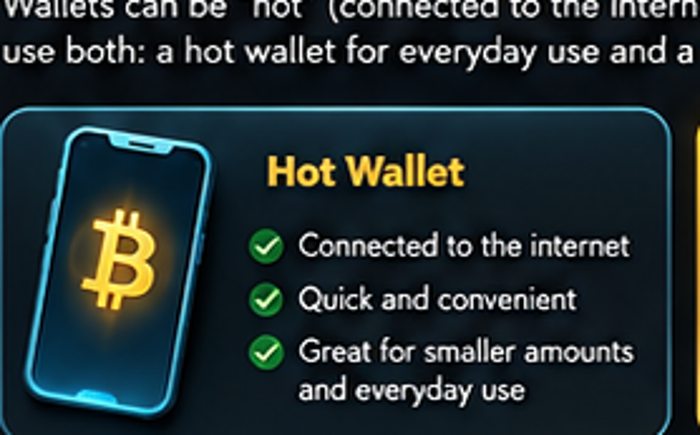
Hot wallet
Convenient for smaller, everyday transactions, but exposed to risks from the connected device.
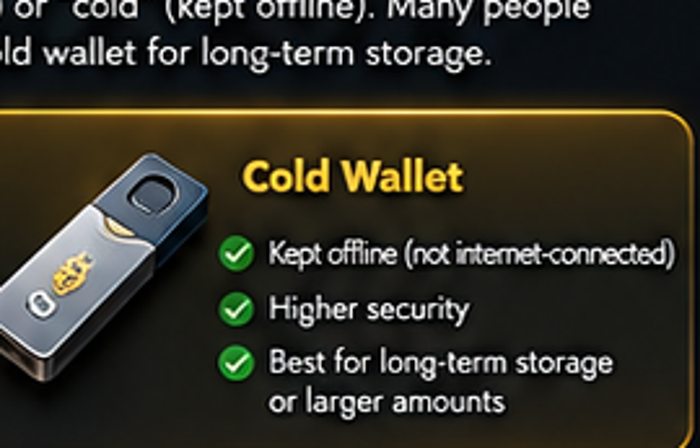
Cold wallet
Keeps signing keys offline, reducing some online risks, but requires careful setup and backup.
Neither type is automatically safe. A hardware wallet cannot protect you if you reveal your recovery phrase or approve a malicious transaction.
5. Sending and receiving Bitcoin
Receiving usually starts with sharing a Bitcoin address (or QR code) with the sender. Sending requires checking the destination, amount, and network fee before approving the transaction.
This is a safe practice exercise. The destination and amounts are fictional, and no wallet is connected.
Check both items before practicing approval.
Simulation only: no real address, transaction, Bitcoin, or broadcast. Actual fees vary with network conditions and transaction size.Bitcoin transactions are generally irreversible once confirmed. If you send to the wrong address, there is usually no customer-support department that can undo it. For a first transfer, consider a small test amount when practical.
Dig Deeper: What is a network fee?
Bitcoin transactions typically pay a fee to incentivize miners to include them in blocks. The fee is determined by the transaction's size in virtual bytes and its fee rate—not simply by how much Bitcoin you're sending. Wallets may estimate a fee based on current network conditions.
6. Protecting your Bitcoin
Good wallet security is less about being a computer expert and more about developing a few careful habits.
Back up recovery information offline. Store it somewhere private and protected against loss or damage.
Verify before approving. Check the receiving address, amount, network, and any wallet-device screen.
Use trusted software and updates. Download wallets from verified sources and keep your devices secure.
Be skeptical of urgency. Scammers often pressure people to act before thinking.
Legitimate support staff do not need your recovery phrase or private key. Never enter those secrets into a website, chat, email, or form because someone asks you to “verify” or “restore” your account.
7. Common scams and warning signs
Watch out for guaranteed-return promises, fake wallet apps, giveaway scams, impersonators, malicious QR codes, and messages claiming your wallet must be “validated.”
A stranger messages you: “Send me your 12-word recovery phrase so I can fix your wallet.” What should you do?
Choose an answer to reveal why.
When you're unsure, stop. Verify through a trusted, independently located channel rather than links or phone numbers supplied by the suspicious message.
Let's see what you've learned!
Three quick questions to help the safety basics stick. No grades or accounts.
Review what you have learned and explore your next steps. Continue to Chapter 6 →
Questions about Bitcoin wallet safety? You're welcome to get in touch. The Learning Hive is free and doesn't require a membership.